Most developers who use Git are comfortable with the essentials.
They create branches. They switch between them. They merge, rebase, push, and pull. These skills are enough to build real systems and collaborate effectively.
But there is a feature that quietly solves one of the most common sources of friction in everyday development. Many developers have heard about it. Very few actually use it in practice.
That feature is Git worktree.
This changes how we approach parallel development, experiments, and context switching.
The friction in a normal branch workflow
In a typical setup, one repository lives in one folder. At any moment, only one branch is checked out in that folder.
When you want to work on another feature, you switch branches.
If you have uncommitted changes, you stash them.
If the repository is large or the task is risky, some developers even clone the repository again just to keep work separate.
This workflow works. It has been the default for years. But it introduces subtle cognitive and operational overhead.
Frequent branch switching breaks flow. Stashing can feel unsafe. Multiple clones waste disk space and time.
Git worktrees exist to reduce exactly this kind of friction.
What a worktree is
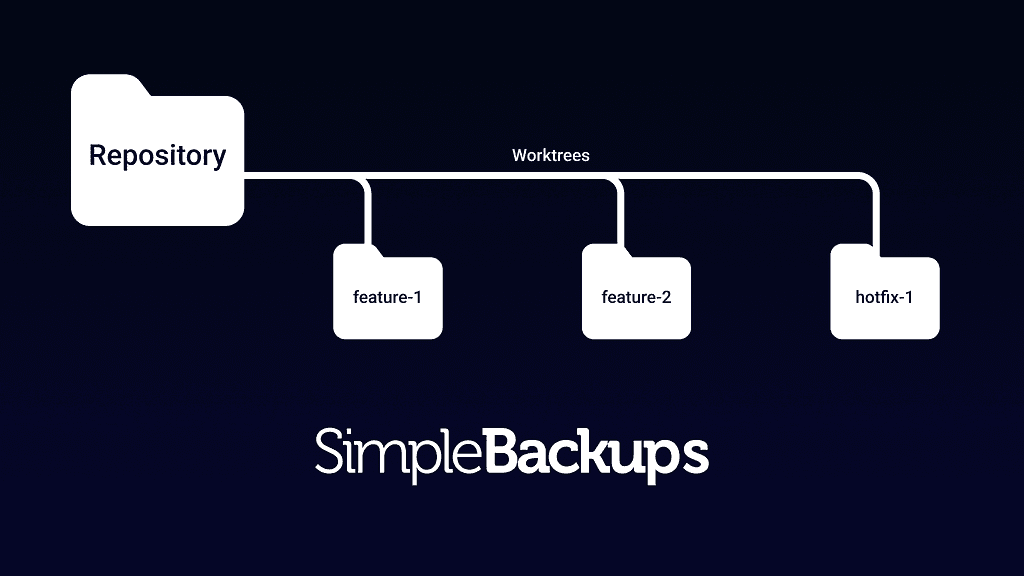
A worktree is an additional working directory connected to the same repository history.
Branches represent lines of development in Git.
Worktrees represent physical folders where a specific branch is checked out.
This means a single repository can have multiple active working directories at the same time. Each directory can be on a different branch. All of them share the same underlying Git object database, so the setup is lightweight.
Instead of switching context, you can keep multiple contexts alive.
Creating a worktree
Assume you are inside your main project repository.
You can create a new worktree for an existing branch like this:
git worktree add ../feature-login feature-login
Git creates a new folder called feature-login next to your current repository and checks out the branch feature-login inside it.
If the branch does not exist yet, you can create it during the same step:
git worktree add -b feature-login ../feature-login
From that point on, you can move into that folder and work normally.
cd ../feature-login
You can edit files, run servers, commit, and push. The workflow inside a worktree feels identical to working inside the main repository folder.
Listing active worktrees
To see all active working directories attached to your repository, you can run:
git worktree list
This shows each path and the branch currently checked out there.
This becomes useful in large projects where multiple parallel features are active.
Removing a worktree
When a feature is complete and you no longer need the separate folder, you can remove the worktree:
git worktree remove ../feature-login
This deletes the working directory.
It does not delete the branch automatically.
If you also want to delete the branch after merging:
git branch -d feature-login
In practice, Git prevents accidental mistakes. If a branch is currently checked out in a worktree, Git will refuse to delete that branch until the worktree is removed.
Real situations where worktrees help
Worktrees become valuable when you are handling multiple responsibilities at once.
You might be building a major feature while an urgent production bug appears. Instead of stashing your changes and switching branches, you can instantly create another worktree for the hotfix and begin working.
They are also extremely useful for experimentation. You can create temporary branches for risky ideas, run performance comparisons between implementations, or keep separate development servers running for different features.
In research style workflows such as machine learning or quantitative experimentation, this separation becomes even more powerful. One branch can focus on training pipelines, another on feature engineering, and another on evaluation or visualization. Each task lives in its own directory and mental space.
Keeping your repository clean with fetch and prune
Another small but essential practice that complements disciplined branching is cleaning up stale remote references.
When collaborators delete branches on the remote repository, your local Git still remembers those remote tracking branches until you refresh that information.
Running the following command updates your view of the remote and removes references that no longer exist:
git fetch --prune
This does not affect your local branches or files. It simply keeps your repository metadata accurate and uncluttered.
Many developers configure Git to prune automatically during fetch operations:
git config --global fetch.prune true
This helps maintain long term repository hygiene.
A quiet productivity improvement
Git worktree does not introduce a new philosophy. It extends the existing branching model into physical space.
If you frequently juggle multiple features, handle urgent fixes, or run experiments in parallel, worktrees can significantly reduce context switching and operational friction.
Branching is one of Git’s core strengths. Worktrees allow you to use that strength more fully.